PyroBlox Fireworks Wiki
Independent guide hub for Pseudo Studio’s Fireworks Playground on Roblox — codes, shows, and progression.
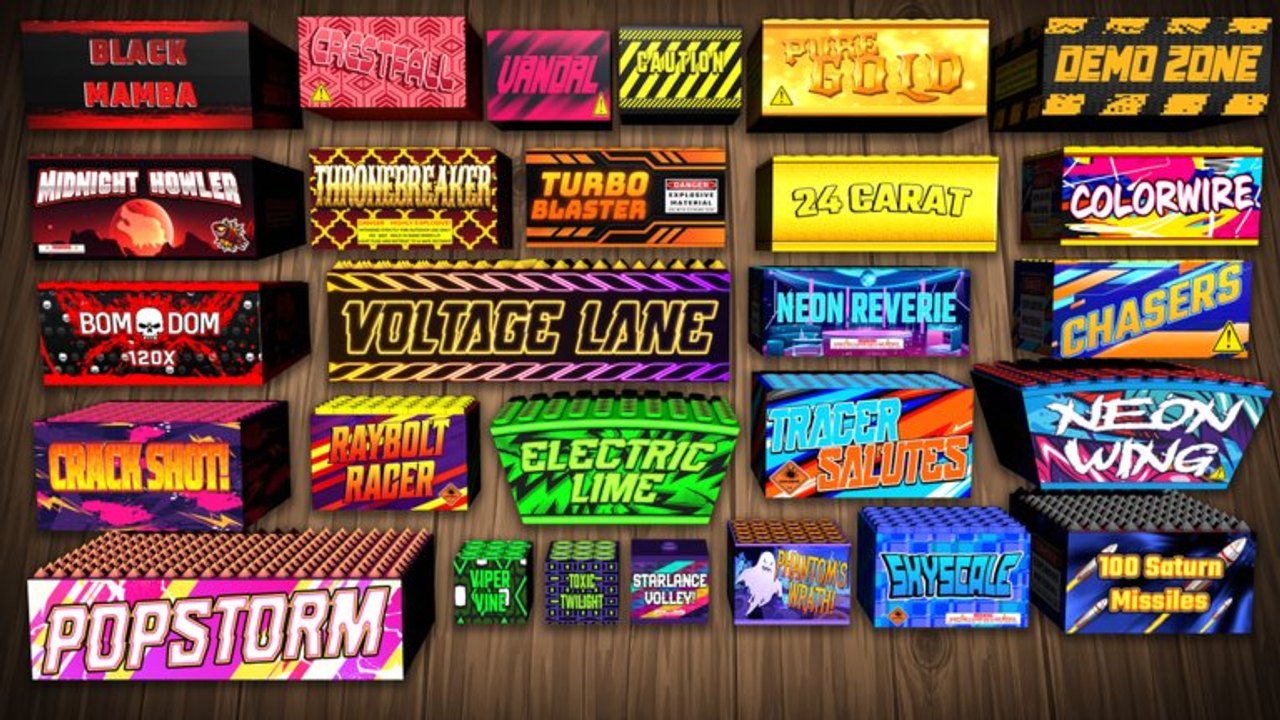
PyroBlox Fireworks is a fan-made wiki for Fireworks Playground, the free Roblox fireworks sandbox by Pseudo Studio (place ID 10846691679, universe ID 3916548970). With well over a hundred million visits, weekly content drops, and thousands of unlockable fireworks, the game rewards players who understand codes, loadouts, fuse shows, and quest rules. This page is your map of the wiki and a short primer on the experience itself.
Official play link: Fireworks Playground on Roblox.
What Fireworks Playground is
You place and light fireworks to earn coins, then reinvest into a massive shop spanning mortars, rockets, cakes, crackers, fountains, roman candles, and specialty tools. Systems layered on top include:
- Loadouts for instant kit swaps
- Fuse linking with manual or Auto Link workflows, detonators, and firing tablets
- Quests such as Find All Rockos (visible only while active)
- Minigames and world activities for bonus coins
- Levels that scale with earnings (about 1M coins earned = 1 level)
- Weekly updates from Pseudo Studio
- Optional gamepasses (VIP, Faster Placement, Fuse Upgrade, backpack/loadout upgrades, and more)
It is co-op social sandbox play — public audiences for shows, private servers for practice and farms — not a wave-based PvE campaign.
Wiki map
Codes
- Codes Hub — active free-coin codes table and sources
- How to Redeem Codes — menu path and error fixes
Guides
- Guides Hub — full tutorial index
- Getting Started — first-hour systems literacy
- Earn Coins Fast — legitimate grind loop
- Find All Rockos — quest visibility and hunt tips
- Make a Firework Show — fuse timing and finales
- Tips and Settings — lag, FX, QoL
Tier lists
- Tier List Hub — ranking criteria by coins, spectacle, shows
- Best Mortars
- Best Rockets
Scripts (risk-aware)
- Scripts Hub — autofarm feature overview and warnings
- Pyro Panel — panel features and loadstring reference
Players & updates
- Players Hub — levels, titles, group/Discord community tips
- Updates Hub — weekly cadence and post-patch checklist
How to use this wiki efficiently
Brand new → Getting Started → Codes → Earn Coins Fast.
Returning after a patch → Updates checklist → reward-sort your loadouts → skim Codes.
Hosting tonight → Make a Firework Show → Tips and Settings → pick centerpieces from Tier List.
Stuck on Rockos → confirm quest active on Find All Rockos before wandering.
Internal links across articles stay locale-agnostic with trailing slashes so every language build resolves correctly.
Independence and accuracy
This site is not an official Pseudo Studio product. Gamepass prices, code validity, and UI labels can change without notice. We prioritize durable mechanics (fuse menus, loadout cycling, quest visibility rules, weekly habits) and call out when lists need rechecking — especially codes.
When official channels disagree with a third-party rumor, trust Discord/group announcements and in-game behavior.
Related official touchpoints
- Roblox experience page for Fireworks Playground
- Pseudo Studio Roblox group
- Pseudo Studio Discord for codes and patch talk
Join those for primary-source news; use this wiki to turn news into actionable play plans.
Contribution spirit
Good wiki citizens:
- Recheck codes after milestones
- Prefer private rehearsals before public lag bombs
- Teach fuse basics instead of gatekeeping
- Avoid phishing “generators”
- Keep script talk honest about account risk
If you only bookmark one page beyond home, make it this overview — then branch into the hub that matches tonight’s goal. Light responsibly, link creatively, and welcome to the playground.
Frequently Asked Questions
Quick answers to the most common questions.
Is this the official Fireworks Playground wiki?
No. PyroBlox Fireworks is an independent fan wiki. For official announcements, use Pseudo Studio’s Discord and Roblox group.
What game does this wiki cover?
Fireworks Playground by Pseudo Studio on Roblox (place ID 10846691679) — a free fireworks sandbox with codes, shows, quests, and weekly updates.
Where should beginners start?
Open Getting Started, redeem codes on the Codes Hub, then follow Earn Coins Fast for your first efficient loadouts.
Does the wiki include scripts?
Yes, with clear risk warnings. Legitimate guides for codes, grinding, and shows remain the recommended path.