PyroBlox Fireworks Firework Configurator Guide
Unlock at level 50, buy it from the equipment shop, and tune lifetime, shots, and size for cleaner shows.
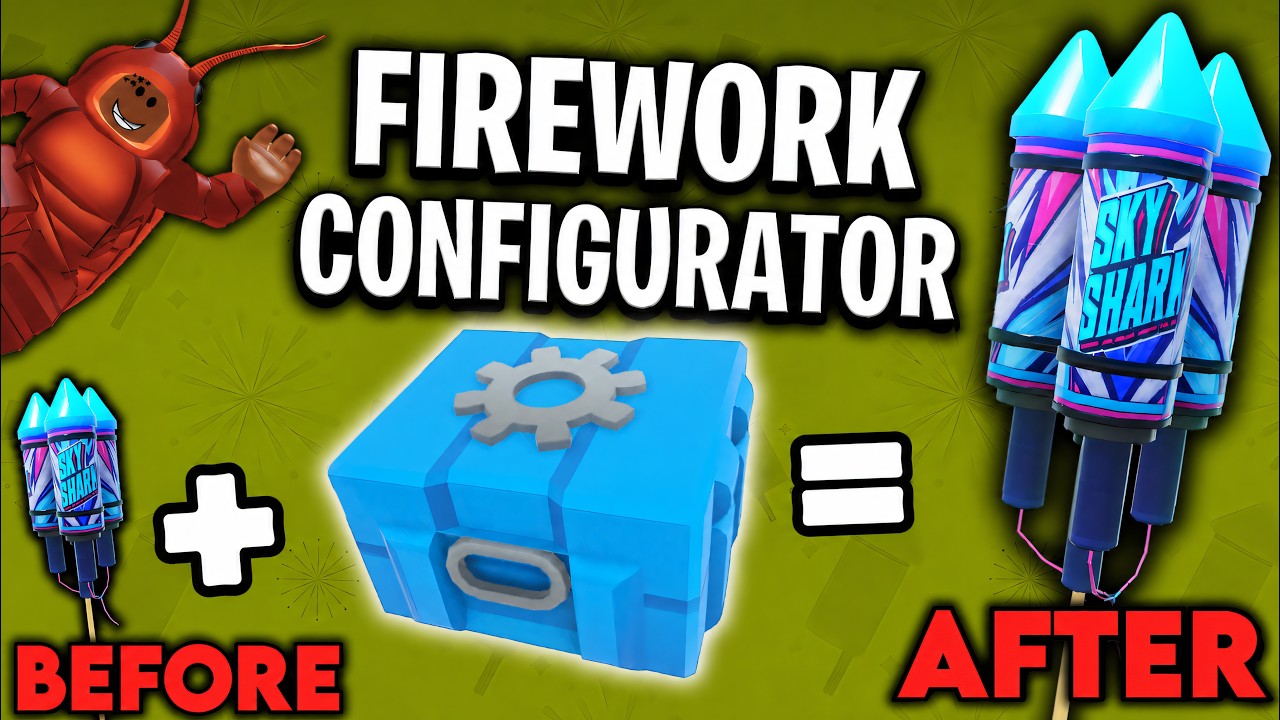
The Firework Configurator is one of the most important late-midgame tools in Fireworks Playground. Once you can equip it, you stop hoping random rockets behave the same every light and start dialing lifetime, shot count, and size so a fuse-timed show actually matches the plan in your head. This guide covers unlock math, where to buy it, what the knobs do, and how to practice without melting a public server.
Pair it with Make a Firework Show for choreography, Tips and Settings for FPS survival while testing, and the Tier List Hub when you decide which SKUs deserve configurator attention.
Unlock requirement: level 50
Community creators and in-experience notes are consistent: you need level 50 before the configurator is usable. Progression is coin-earned based — roughly 1,000,000 coins earned = 1 level. That means level 50 is on the order of fifty million coins earned over the life of the account, not fifty million sitting unused in your wallet.
Practical ways to get there:
- Redeem every active string on the Codes Hub first — free millions shorten the early climb.
- Build multi-loadout grind kits from Earn Coins Fast and Best Cakes.
- Prefer private servers for long farms so other players’ finales do not tank your placement rate.
- Do not panic-buy every themed cracker; unlocks that raise coins-per-minute beat cosmetics until level 50 is secure.
If you are stuck in the 20s–30s, treat the configurator as a goal, not a day-one toy. Shows still work with stock behavior — configurator just makes them fairer to design.
Where to buy it (equipment shop)
Open the equipment shop (same family of menus as lighter, fuse, detonator, and tablet — not the firework category tabs). Purchase the Firework Configurator once you meet the level gate, then keep it on a dedicated show loadout so you do not misplace it while grinding.
If the item looks greyed out:
- Confirm your level is actually 50+
- Finish loading / rejoin if UI populated late
- Make sure you are looking at equipment tools, not firework SKUs
Passes like Faster Placement or Fuse Upgrade help around the configurator but do not replace the level lock.
What you can configure
Exact slider labels can shift with weekly patches, but the useful mental model is:
- Lifetime / duration — how long the effect lives before cleanup. Shorter lifetimes keep mid-show skies readable; longer ones fill space for cinematic holds.
- Shots — how many bursts or tubes fire in a cycle on pieces that support multi-shot behavior. More shots can mean denser beds — and heavier particle cost.
- Size — visual scale of the burst or body. Bigger looks great on camera; too big on every piece turns finales into white soup.
Use small changes. A five-percent nudge is easier to judge than slamming every slider to max and wondering why the client hitch-stutters.
Why accuracy matters for shows
Without configuration, identical rockets sometimes climb unevenly or linger differently across a grid. Show hosts notice when three shells in a mirror line “escape” into space while their partners break on cue. Configurator workflows exist so you can normalize behavior before you trust a countdown.
Typical wins:
- Matching lifetime so left/right mirrors extinguish together
- Tuning shot density so cake beds support a mortar line instead of burying it
- Scaling size down on filler pieces so the finale centerpiece still reads
- Rehearsing once in private, then performing without mid-show panic edits
That is the difference between “pretty chaos” and a show guests can film.
Practice workflow (private first)
- Save a show loadout with fuse, lighter, configurator, and your act pieces.
- Place a tiny test grid (six to twelve pieces) on flat ground.
- Apply one change at a time — for example lifetime only — then light.
- Record a short clip or take notes on what still drifts.
- Only then expand to the full act and Auto Link / detonator / tablet triggers from Make a Firework Show.
- Drop graphics if FX testing lags; raise them on the recording client only (Tips and Settings).
Never first-learn configurator knobs on a packed public finale night. You will frustrate yourself and everyone else’s FPS.
What not to confuse it with
The Firework Configurator is legitimate equipment, not an executor autofarm. Injected scripts that auto-place or auto-redeem sit in a different risk category. If a YouTube title mixes “configurator” with “infinite coins script,” ignore the script half and keep the equipment tutorial.
Also do not expect configurator to unlock locked shop fireworks. Level and coin price still gate SKUs; this tool shapes pieces you already own.
Shopping and progression tips around level 50
- Keep grinding S/A cakes and rockets until the unlock lands — see Best Mortars and Best Rockets for partners once you design finales.
- Budget coins for the equipment purchase itself; do not arrive at 50 broke.
- After weekly updates, re-test favorite configs — new particle budgets can change how “size 100%” feels.
- Seasonal event cakes (Halloween Grave Awakening lines, Fall Finale packs) often benefit most from size/lifetime polish because they are dense by design.
Checklist before a public show
- Configurator equipped and settings saved for the act
- Fuse timings set after configs, not before (order matters if a resize changes readability)
- Guest graphics request posted in chat
- Backup loadout without experimental maxed sliders
- Codes redeemed earlier so you are not mid-menu when countdown starts (Codes)
Summary
Reach level 50 via coin-earned progression, buy the Firework Configurator from the equipment shop, then tune lifetime, shots, and size in a private rehearsal until mirrors and beds behave. Use it as a showcraft tool beside fuse timing — not as a substitute for good loadouts or honest grinding. When you are ready to spend the accuracy on a real act, return to Make a Firework Show and the broader Guides Hub.
Frequently Asked Questions
Quick answers to the most common questions.
What level do I need for the Firework Configurator?
Level 50. Levels track coins earned — about 1,000,000 coins earned equals one level — so plan a long grind or code-funded climb before you unlock it.
Where do I buy the Firework Configurator?
In the equipment shop alongside tools like the lighter, fuse, detonator, and tablet — not inside the regular firework category tabs.
What settings can I change?
Expect controls around lifetime/duration, shot count, and size. Change one slider at a time in a private server so you can judge the visual result.
Why does the configurator help firework shows?
It reduces random drift between identical pieces so fuse-timed mirrors and cake beds stay accurate instead of sending a few rockets into space.
Is the Firework Configurator a script?
No. It is legitimate in-game equipment. Executor autofarms are a separate, riskier topic covered on the Scripts Hub.
Should beginners rush level 50 just for this?
Only if show accuracy is your main goal. New players should still master loadouts, codes, and fuse basics first, then treat configurator as a midgame milestone.