PyroBlox Fireworks Tips, Settings, and Lag Fixes
Keep shows and grind loops smooth with the right graphics, FX, and quality-of-life habits.
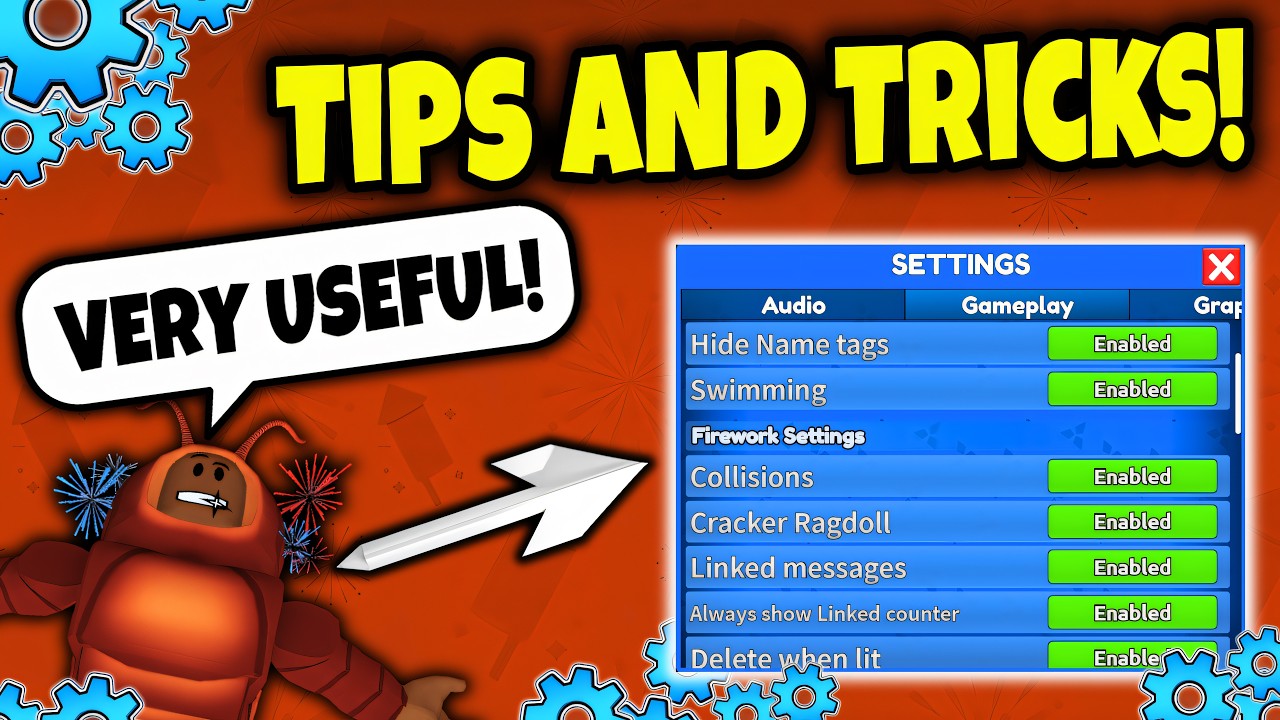
Fireworks Playground pushes Roblox’s particle and audio stack harder than the average simulator. Beautiful finales can also tank frame rates, desync touches, and make fuse menus feel sticky. This guide collects settings, lag tactics, configurator-aware tips, and small habits that keep both grinding and hosting playable.
Pair it with Earn Coins Fast for money loops and Make a Firework Show for creative sessions. The embedded tips video is a strong companion watch mid-read.
Open the right menus
- Use the bottom-left menu to reach the gear / settings style panel.
- Separate gameplay options from audio options — both matter.
- Remember Roblox’s own Escape settings (graphics quality, VSync-type options depending on platform) stack with in-experience toggles.
If a control seems missing, finish loading or rejoin; UI sometimes populates late on slow connections.
Graphics: grind mode vs show mode
Grind mode
- Set experience graphics low
- Prefer FPS stability over pretty trails
- Hide or reduce firework FX when you only need reward ticks
- Consider hiding other players’ fireworks in busy worlds when the toggle exists
Show mode
- Raise graphics on the host recording device only
- Ask guests to stay lower so the server simulation stays kinder
- Keep your own FX visible; that is the product
Switch modes deliberately. Many players leave max settings on during a 40-minute farm and wonder why placement feels like molasses.
Firework FX and cleanup toggles
Learn whether your build offers options around:
- Hiding explosion/FX layers
- Cleanup or retention behavior after ignition
- Visibility of other clients’ shows
Turning off heavy FX during farms can multiply coins-per-minute simply because clicks register again. For cinematic captures, turn them back on and reduce simultaneous piece counts instead.
Audio tips
- Keep SFX audible when practicing fuse timing — ears catch mis-fires faster than eyes in clutter.
- Lower music if it masks crackle cues.
- On mobile, check device silent switches; “broken audio” is often hardware mute.
Shows land harder when the crowd hears staggered whistles instead of a single noise wall.
Private servers are a setting too
Treat server choice as part of your config:
- Private — rehearsal, grinding, Rocko searches, tablet experiments
- Public — audiences, social chaos, sharing codes energy
You can build the grid privately, then decide whether a public performance is worth the FPS tax.
Firework Configurator awareness
Community creators cover a Firework Configurator workflow for fine-tuning how certain pieces behave or display within the tools Pseudo Studio exposes. When you are past beginner kits, watch configurator-focused tutorials (including the video ID family this wiki references elsewhere such as h4lDCzadhys on dedicated pages) and experiment in a private server before a live show.
Do not confuse configurator deep-dives with executor scripts. Configurator talk belongs to legitimate in-game or studio-intended tooling; injected scripts are a different risk category.
Placement and input QoL
- Stand on flat ground when mass-placing so pieces do not bury into slopes.
- Leave lanes in grids for repairs (show layout tips).
- On mobile, landscape mode helps shop + fuse UI.
- Save loadouts whenever a kit works — never rely on memory after a disconnect.
- Bind your brain to hotkeys you actually use (panel toggles, tools) instead of reopening every menu from scratch.
Passes that feel like settings
Some Robux upgrades change the feel of the controls themselves:
- Faster Placement — snappier re-place cycles
- Fuse Upgrade / Tablet Upgrade — less manual linking friction
- Backpack / Loadout upgrades — fewer menu trips
- Free cam style passes — cinematic framing for recordings
Buy them for comfort after you already understand the free workflow from Getting Started.
Lag triage checklist
When the client stutters:
- Lower graphics and FX immediately.
- Stop adding to an already huge field; light or clear first.
- Hop to private or a quieter public.
- Close overlapping shop/quest UI.
- Rejoin if memory leak vibes creep in after hour-long sessions.
- Avoid stacking identical finale shells on one fuse timestamp.
If only one teammate lags, help them drop settings rather than blaming their rockets.
Quality-of-life habits worth keeping
- Redeem codes at session start so you are not mid-show opening menus.
- Sort Owned by reward before grinding; by theme before hosting.
- Keep a notes file of fuse timings that worked for your favorite finale.
- After weekly updates, test one new firework in private before slotting it into a public act (Updates Hub).
- Finish Rocko hunts on low-distraction settings.
Mobile-specific notes
- Paste codes; do not type long milestone strings.
- Watch thermal throttling — long max-particle sessions heat phones fast.
- Use consumable speed potions sparingly when navigating for quests; they help but are not a substitute for knowing the map.
Mindset tip
Settings are part of skill expression in this game. The host who frames a clean, stable, well-timed minute-long show outplays the host who dumps everything at once and freezes half the server. Optimize for the experience you want — coins, cinema, or both on alternating nights.
Return to the Guides Hub when you are ready to apply these settings inside a concrete goal, whether that is money, quests, or a countdown finale.
Frequently Asked Questions
Quick answers to the most common questions.
What graphics should I use while grinding coins?
Low graphics with reduced firework FX. Stability raises coins-per-minute more than pretty trails during farms.
How do I reduce lag during big shows?
Rehearse in private servers, stagger fuse times, lower guest graphics, and avoid identical shells igniting on the same millisecond.
Where are Fireworks Playground settings?
Open the bottom-left menu and look for the gear / gameplay / audio panels, and also check Roblox’s own Escape graphics settings.
Is the Firework Configurator a script?
Configurator discussions refer to legitimate fine-tuning workflows, not executor autofarms. Scripts are covered separately with risk warnings.
Should hosts and guests use the same settings?
Not necessarily. Hosts recording may raise graphics while guests stay lower to keep the session smoother for everyone.